
Guide / Light
Spectral light
Real lamp spectra, light in real units, dispersion, diffraction and fluorescence.
Every Reblend render is spectral: light is rendered wavelength by wavelength, in every method, with nothing to turn on. Blender's own shader nodes keep the look they have in Cycles. What changes is how colors respond to light: a surface under a sodium street lamp or a cheap LED looks the way it would in real life. Reblend Surface adds measured colors, metals, fluorescence, diffraction and dispersion on top.
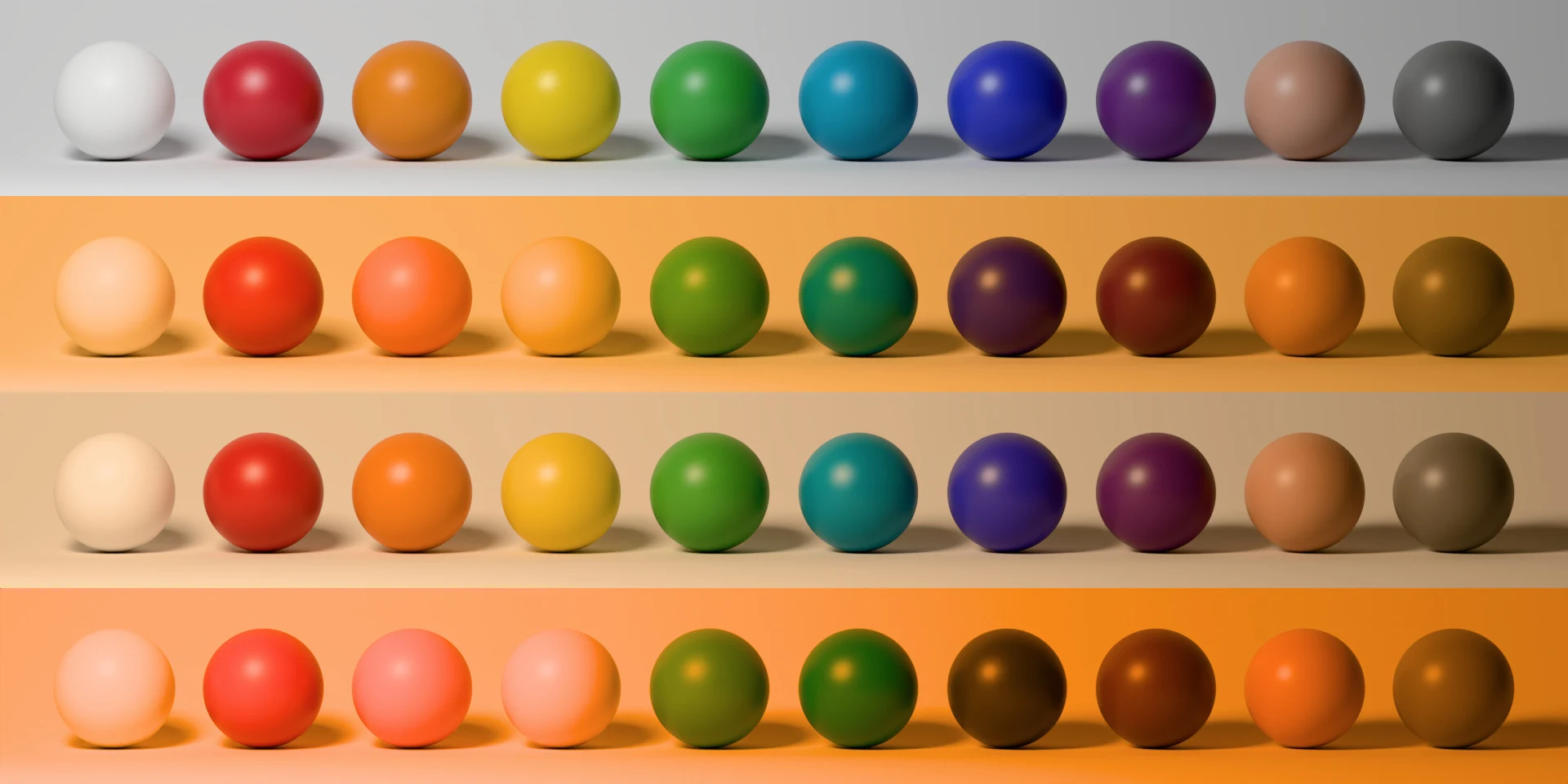
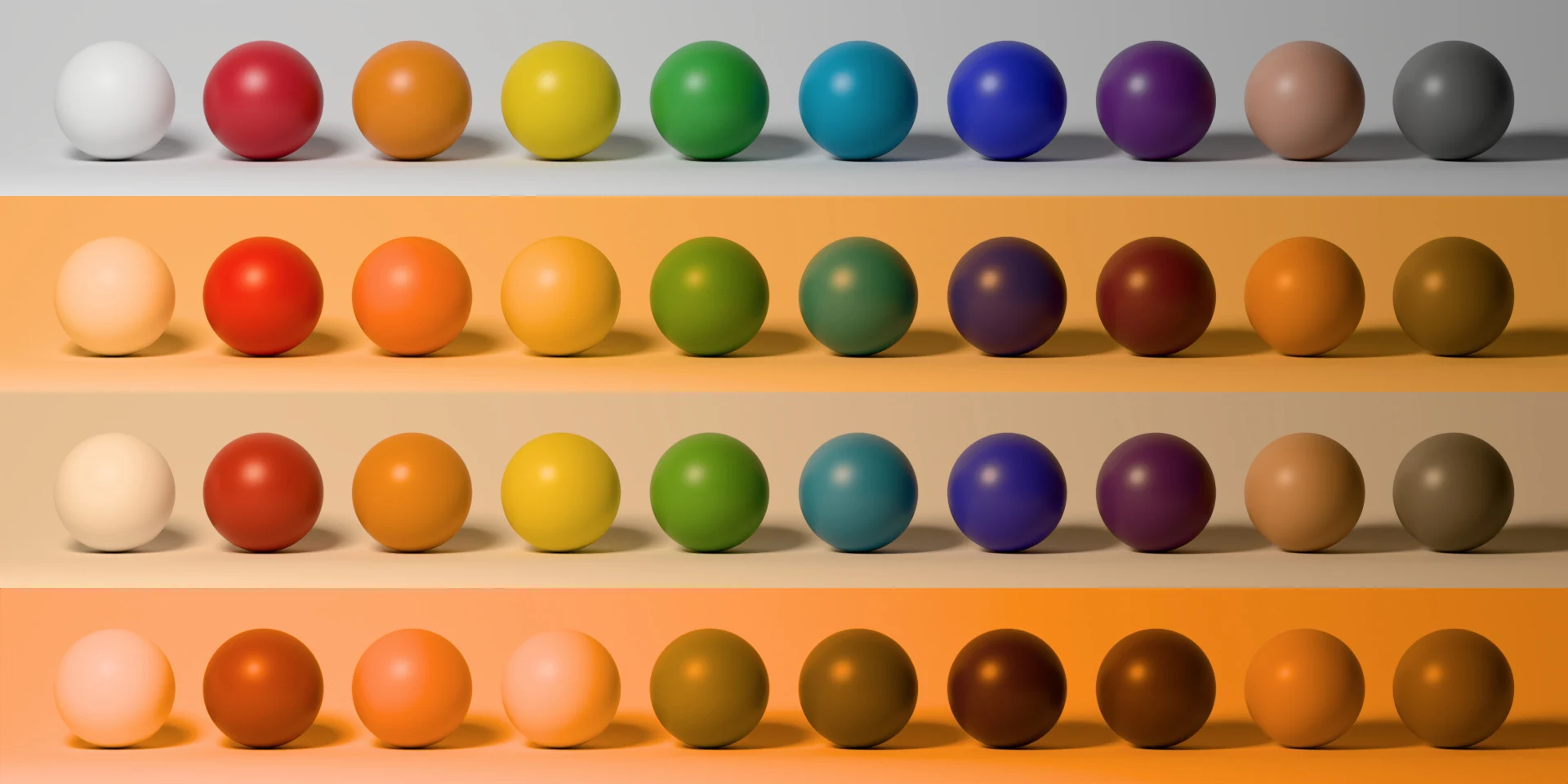 CyclesReblend
DaylightTungstenWhite LEDSodium
A lamp's spectrum
Light Properties > Light > Spectrum, the row under Color. Color, the default, keeps the light's color and temperature as you set them. The other entries are real light sources:
- Daylight: D65 and D50.
- Tungsten: A.
- Fluorescent tubes: F2 (cool white), F7 (broad-band daylight) and F11 (three-band).
- LEDs: LED-B3 (about 4100 K), LED-B4 (about 5000 K) and LED-RGB1.
- High Pressure Sodium.
- Narrow Band and Measured Spectrum, below.
The light's Color still tints the spectrum you pick. With Temperature ticked, the temperature wins over the daylight, tungsten, fluorescent, LED and sodium entries; Narrow Band and Measured Spectrum win over Temperature. Temperature and the Blackbody node emit the spectrum of a real hot body.
Narrow Band
A lamp that emits around one wavelength. Wavelength (nm) is its center, from 300 to 780, and Width (nm) is how wide the band is at half its height. At 365 nm, the default, the lamp is a black light: it gives almost no visible light of its own, and fluorescent surfaces glow under it.
Measured Spectrum
A lamp's spectrum from a CSV file, such as a manufacturer's data. The file has a header line wavelength_nm,power, then one wavelength in nm and its relative power per row, from 2 to 65,536 rows. Wavelengths must rise from row to row and stay within 300 to 780 nm, and no power may be negative. Lines starting with # are skipped. Only the shape counts: the light's power still sets how bright it is. After editing the file, press the reload button beside it.
Spectral Emission node
The same Narrow Band and Measured Spectrum for glowing objects: Add > Spectral Emission in the shader editor. Cycles and EEVEE render it as a plain Emission.
Light in real units
The Power row of a light takes a unit beside the value:
- Point lights: Watts, Lumens (as a bulb's box states) or Candela.
- Spot lights: Watts, Lumens inside the beam (a narrower cone gets brighter) or Candela along the beam's center.
- Area lights: Watts, Lumens or Nits. Lumens and Nits keep the brightness when you resize the light.
- Sun: W/m² or Lux.
Watts, the default, are Blender's watts, so older files don't change. Switching the unit converts the value and keeps the brightness. A light whose Strength comes from an IES texture starts from the file's own lumens or peak candela. In a real unit, Exposure and Normalize are hidden. Lumens follow the light's own spectrum: a narrow green band gives more lumens per watt than a deep red one.
The world has units too. In World Properties > Surface, the Strength of a Background or Emission node takes Strength, Lux (the light the world casts on an upward-facing surface, the sun in an HDRI included) or Nits.
To see lights in real units as a photo would, set the camera's Exposure to Camera and give it an ISO, shutter and aperture: see Film formats, stocks and exposure.
Dispersion
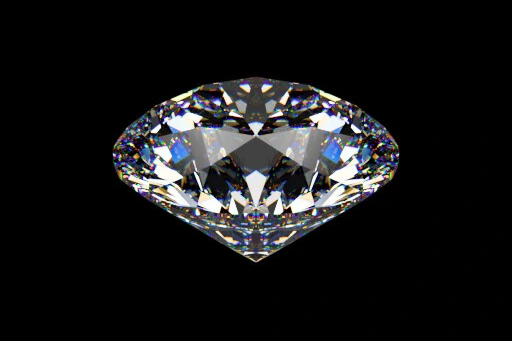
Glass and gems that split white light into colors. In Blender 5.3, set the Principled BSDF's Dispersion Scale above 0; Abbe Number sets how much the colors split, lower splitting more, as in Cycles. Glass BSDF, Refraction BSDF and a Scale of 0 don't disperse. In Blender 5.2, whose Principled BSDF has no dispersion, use Reblend Surface's Dispersion Scale and Abbe Number in its Transmission panel.
Diffraction
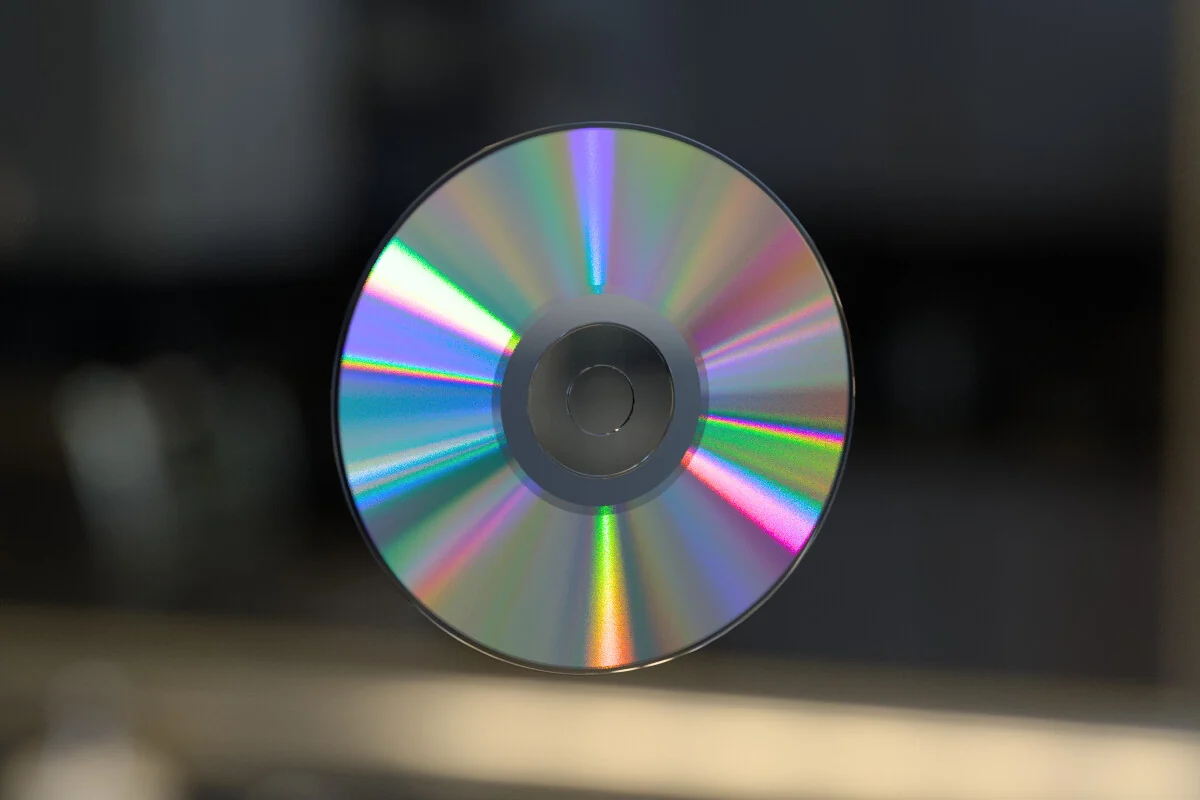
The rainbows on a CD, a DVD or holographic foil, from fine grooves in the surface. Set Diffraction in Reblend Surface's Specular panel: CD, DVD, Holographic Foil, or Custom with your own Groove Spacing and Groove Depth. The grooves run along the node's Tangent. Leave Tangent unlinked for grooves in circles around the object's Z axis, as on a disc; for straight grooves, plug in a Tangent node set to UV Map.
Fluorescence
The last entries in Reblend Surface's Measured Color menu are fluorescent: white paper and plastic with optical brighteners, highlighter yellow, fluorescent pigments and fabrics. They absorb light at one wavelength and give it back at a longer one, so they look brighter than any plain color, and under a black light they glow. Fluorescence Amount sets how strongly; 0 keeps only the reflected color.
Thin film
The colors of soap bubbles and oil on water: Reblend Surface's Thin Film panel, with Weight, Thickness (µm) and IOR.
Water, air and haze
Volumes can be real media measured at every wavelength: water, clear air, haze, rain and ice crystals. See Volumes and points.